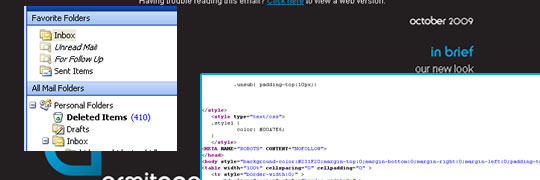
They’re becoming ever more popular as a form of cheap, affordable and effective marketing but HTML emails can still be a pain in the arse mainly due to the dated rendering by most email clients. They’re something I’ve found myself doing ever more frequently recently (even getting an inclusion on the Beautiful Email Newsletters Gallery) so here’s my 10 basic tips for putting together your own HTML email newsletters.
1. Forget how to code HTML properly
Remember when you were told that tables were evil and not to be used for layout? When you finally took that on board and starting floating things around the page and banished your tables for good? Well that’s about to change, welcome back your friendly layout based on, yes, tables!
To be honest it’s not too difficult and I’m sure for most it’s tucked away in the back of your mind just cringe as you write it and remember background images are out.
2. Indent your code
All those nested tables can get quite hard to track so it’s pretty useful to make sure your HTML code is indented and neatly organised otherwise you can soon get lost in there.
3. Style inline
For most email clients this isn’t a problem anymore but you still get the odd few that won’t read external style sheets so stick a copy in the body of your HTML just to be safe.
4. Alt tag your images
HTML emails rely heavily on images to constitute a large amount of the content and nowadays most email clients don’t download images automatically. So as well as slicing your images up sensibly make sure you have alt tags that include any text that appears on the image.
5. Don’t stress about the details
There are that many email clients that it is very difficult to make sure that your email will appear 100% correctly in each one. The only real way to do so would be to just include one image for the entire email and you’re risking falling foul of a lot of spam filters by doing that.
So don’t stress if you’re emails aren’t pixel perfect in Lotus Notes or there’s a little extra padding when Hotmail users view it. As a general rule I’d suggest making sure your email can be read in Outlook and Hotmail and then keep an eye on your stats to see what client most of your readers are using and fix for that in future mailings.
The only place to make sure your email is pixel perfect is your web version (a hosted version of the email that people can view). At the end of the day there aren’t any excuses for that one not looking right!
6. Get a good mass mail client
Don’t send to 100’s of emails using the copy to field in Outlook! I’ve seen it done and apart from being unprofessional it lacks any form of feedback facility. Being able to view stats on bounce rates, opens and click throughs is invaluable to your email marketing strategy.
There is a great variety of email marketing software out there and if I detailed them all I’d need a whole other post! What to pick will depend on your available budget and the amount of emails you’ll expect to send. Personally I use Campaign monitor alot but there are plenty of others, a few I’ve used or looked at in detail are Mail Chimp, Interspire, Vertical Response and DotMailer, but that isn’t even scratching the surface of what’s available out there!
7. Test
Test the email, not just for appearance but for tell tale signs of spam. Most spam filter providers will have available rules for how they filter out emails such as Spam Assasin’s tips. Also make sure you’re adhereing to the rules regarding who you can send to and keep within the bounds of the law, a good starting point is CAN-SPAM.
This will also be helped by following tip number 6 as a good mailer will have inbuilt apperance and spam tests.
8. Make sure your links are in
Make sure you have unsubscribe links in for a start, a lot of spam filters will check for them and some readers may well mark your email as spam if they aren’t there.
Also include a “view web version” link, and make sure it’s at the top of the email before any content. If your email doesn’t look right users aren’t going to scroll through looking for the link, quite often they’ll only use the a preview pane, so put it where they can see it right away.
Apart from that a forward to a friend link and plenty of calls to action linking to relevant parts of your website are a must.
9. Text version
Again for most spam filters this is essential but also for mobile readers and some other email clients. Make sure all of your text is included in the text version, importing it from your HTML can easily miss out any text included on an image.
10. Read it again!
Send it to yourself and read it, and get someone else too, there’s nothing more embarrassing than rushing an email only to realise it’s full of typos, or repetitive phrasing or something similar. I’ve recieved an “Octomner” newsletter before today!
So there you go, your basics for HTML emails, I’ll be putting together a more thorough guide to designing and coding an email and the differences from normal website coding so anything you’d like to be included leave a comment below.
Thanks for this post. This is just what I needed to read about. Cheers!
Not a problem, glad to be of help. Keep an eye on the blog as I’ll hopefully be following this up with a few more in depth articles on specific areas of HTML emails.
Any requests leave them in the comments here.
Dave — Great post. As you pointed out, there is quite a chasm between cool design and deliverable product if not coded properly — and even then there is a lot that can go wrong. But if you are keeping it simple, coding it old school and testing it, it should look pretty consistent. I am using http://www.emailonacid.com for free testing and it works great.
And, as you say, even if every email does not look identical for every person, email marketing remains an incredibly cost-effective and productive tool for building relationships and creating loyal customers.
LOL I absolutely hate coding e-blasts, as it reminds me of my table coding in middle school. 😉 I actually have problems coding in tables, because I’ve forgotten how to do them and have to sit there and think about it for a few minutes.
Excellent post, some good basic sense tips here.
I use tincan’s php list.
I think the general mindset is that html emails are easy and should take no time at all to put together, but in all honesty unless you do it daily its very challenging due to the fact that the coding style is so different from typical website coding. I find myself spending more time tweaking an html email than just coding a regular web page! Great post!
I agree Brad, there’s times I’ve spent more time tweaking an email for Outlook than I have a webpage for IE6!
Good post and great info. This is must know stuff for anyone creating html emails.
Before my current job I worked in the creative dept for a major online/mail order retailer with somewhere around 15 different online stores. My main workload there consisted of their email campaigns. It was slow going at first but believe me you get pretty quick at making these emails and the “rules” become second nature when you have to make 3 or 4 a day. 😀
Great article but I would like to add something from my experience. I don’t use shortcuts when I write inline styles. It makes it longer but I am sure it will work
Don’t use padding with – in thunderbird padding works but in Outlook it doesn’t:(
Remember about hard spaces! – saves you a lot of trouble because for example some words cannot stay at the end of the line and this is very helpful to avoid it.
My 2 cents:) Thanks
Don’t use padding with image tag – This sentence should look like this:)
Good post and great info. This is must know stuff for anyone creating html emails.
.-= nubok´s last blog ..??? ??? ?????????? ????? ????? ?????????????? ? ????????? =-.
Excellent article, added to bookmarks.
Thanks Dave very useful post!
When designing and sending newsletters, be aware that a large number of recipients will read your newsletter on a mobile handset: http://bradbox.posterous.com/email-away
Thanks for interesting article
.-= Dibil´s last blog ..?????????? ? ???????????? ????????? =-.
Number 2. says it all! Most problems stem from nested tables. I second the motion of making sure your HTML code is indented and neatly organised! It only takes a few minutes and it will save you heartache.
Thanks for helpful information. Using HTML emails is a great problem for me. I hope due to your tips I will cope with it.
Great. Now i can say thank you
Hi, my name is Kasey Sharifi. I’m so glad to have found http://www.kamikazemusic.com/quick-tips/basics-html-email-newsletters/. I really enjoyed reading this post. This post provides the information that I need. I also have one comment to you. You should spend some time to email marketing solution.
Great resources and exactly what I was looking for. Thanks for the awesome post.
enjoyed reading this post.
When designing and sending newsletters, be aware that a large number of recipients will read your newsletter on a mobile handset:
Great work. I’ve just started my own blog on email marketing and I’m still learning 🙂
These are some great tips, thank you. I’ve also been getting into emailing more recently and this is the area I was having trouble with. I just setup my first MTA and am getting configure to begin bulk mailing. Thanks for the tips.
.-= Robert´s last blog ..TV Shows Again Dominate Facebook Growth on Our List of Top 20 Pages =-.
This blog aided me somewhat in narrowing down some problems with the latest release, Why do they always leave out vital documentation when they release a new version? It may be trivial to them but not for us! I’m sure i’m not alone.
Mailing can be such a confusing thing. I’ve been muddeling around reading articles and blog posts on tips etc, but I’ve still not had success. Once I finally do start mailing successfully, I can use some of your suggestions, thank you!
.-= Carlos´s last blog ..The Art of Solo Travel: A Girls’ Guide (e-book review) =-.
You covered several area’s I was unsure about with mailing. I’m building a homegrown list and I’ve run into several issues. Off to try some solutions, thanks again!
.-= Jenny´s last blog ..Are Adrien Brody and January Jones Dating? =-.
It never ceases to amaze me how confusing mailing can be. There are so many factors that determine your delivery rate and 100 other things. Then there is the email subject, copy ,and so much more. This article helps me along my way, so thanks for it.
.-= Tom´s last blog ..Hilton joins Florida hotels in offering "Beach Satisfaction Guarantee" =-.
I’m trying to get a newsletter started for all of my websites. I feel like I am missing out on possible upsells and customer retention. Thanks for the article, this will help me.
.-= Shelly´s last blog ..Big Brother Star Causes Fatal Crash! =-.
simplest thing can make the newsletter messy.
if you don’t know where to start to design the newsletter, get some inspiration from http://www.email-gallery.com
Thanks for the tips, these will come in handy on the next email I send!
Thanks, I want now to set up email newsletter (and not to call cald ;-)), so it is very nice
I also think that customers are often more forgiving of less-than-perfect emails. The smart ones realize that a single email cannot be properly rendered in every client.
Oh, that’s wonderful.
Keep it up!
I never did buy into that ‘must-not-use-tables’ snobbery. It works brilliantly and keeps things orderly.
Got to say though, I would never of thought of ALT tagging my images in an email newletters! Thank you! I go out of my way to make sure I do it on my websites, but for some reason, I don’t in my emails.
I’m sure you are getting a lot of this already, but genuinely, thank you for those tips, I have found them very useful indeed.
Good list. Regarding point 5, you’re basically saying you won’t win them all, so don’t try too hard? Thanks
I wouldn’t put it quite like that. There’s pretty much no way you’ll get your email looking perfect in every email client so you’ll need to accept the odd slight difference.
But that’s no reason to send out an email that looks rubbish in certain clients, you should still be trying as much as possible to make it look good for all recipients, just no necessarily a pixel perfect copy of the original.
Probably better to phrase it “you won’t win them all, but try to get them as close as you can” – the more you put emails together the more you’ll be aware of the quirks of certain software and be able to work around it.
The important parts are the analysis methods and the techniques. I’m sure that the image he
chose was just a convenient example.
Yes! I agree with you!
You are right!
Great stuff, loved this article!
HTML is a shortcut to promote the business by internet site.HTML is a grate product thanks to this post.
Nice List, we want to test out some new Email Newsletters for our site and will use these guidelines to avoid mistakes. Thanks
Excellent article I am in the process of setting up newsletters for my new blog.
Many thanks.
Ian
I’ve tried Mail Chimp free account. It works well! I have not many subscribers yes, so I don’t need paid accounts on famous email marketing websites as Aweber. Thanks for article!
Good tips! For those who don’t have the needed skills to design and code his own newsletter, I recommend to use a premium email template from http://emailwear.net